


One of the most common questions asked by Pakistani players before downloading any earning app is simple: “Can I actually get my money out?” With NO777 Game, the answer is yes — but understanding exactly how the withdrawal system works, what the requirements are, and what to expect after submitting a request is critical to having a smooth experience.
This guide covers everything you need to know about withdrawing your earnings from NO777 Game. It includes the step-by-step withdrawal process for JazzCash and EasyPaisa, KYC requirements, minimum withdrawal limits, processing timeframes, common withdrawal issues, and expert tips to ensure your money reaches your wallet every time without complications.
Whether you are a new player making your first withdrawal or an experienced user troubleshooting a delayed payment, this guide has everything you need.
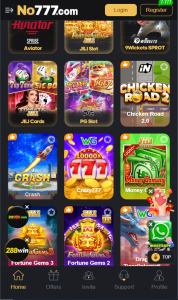
Before You Withdraw — Important Requirements
Before submitting your first withdrawal request on NO777 Game, you must meet several requirements. Failing to complete these steps is the single most common reason players experience withdrawal delays or rejections.
1. Account Verification (KYC)
KYC stands for Know Your Customer. It is an identity verification process that NO777 requires before allowing full withdrawal access. To complete KYC, you will need to provide your CNIC (Computerized National Identity Card) number and, in some cases, a photograph of the front and back of your CNIC.
KYC verification serves two purposes. First, it protects you — it ensures that only you can access and withdraw from your account. Second, it protects the platform from fraudulent activity. Accounts with completed KYC consistently experience faster withdrawal processing times and access to higher withdrawal limits.
You can complete your KYC verification through the Account Settings or Profile section of the NO777 app. The verification process typically completes within a few hours after submission.
2. Linked Payment Account
Your withdrawal destination — whether JazzCash or EasyPaisa — must be registered under the same name and CNIC as your NO777 account. Mismatched names between your gaming account and your payment account are a leading cause of withdrawal failures. Ensure that your JazzCash or EasyPaisa account is active, registered, and accepting incoming transfers before submitting a withdrawal request.
3. Minimum Withdrawal Balance
NO777 Game requires a minimum account balance before a withdrawal can be initiated. The standard minimum withdrawal threshold is typically 300 to 500 PKR, though this may vary based on your VIP level or any active promotions. Check the Withdrawal section of the app for the current minimum applicable to your account.
4. Wagering Requirements on Bonuses
If your wallet balance includes funds from welcome bonuses or promotional credits, those specific funds may be subject to wagering requirements before they can be withdrawn. This means you may need to play with those bonus funds a certain number of times before they convert into withdrawable real money. Funds from your personal deposits and gameplay winnings from your own money are generally withdrawable without wagering restrictions.
Always read the Terms and Conditions section of any bonus you claim to understand whether a wagering requirement applies.
How to Withdraw from NO777 Game via JazzCash — Step-by-Step
JazzCash is the most commonly used withdrawal method among NO777 Game players in Pakistan. Follow these exact steps to successfully withdraw your earnings:
Step 1: Open NO777 Game Launch the app on your Android device and log in to your account using your registered mobile number and password.
Step 2: Navigate to Your Wallet From the main dashboard or home screen, locate and tap the Wallet icon or the Wallet section. This is usually visible in the bottom navigation bar or accessible from the top-right corner of the screen.
Step 3: Select Withdraw Inside the Wallet section, you will see options for Deposit and Withdraw. Tap the Withdraw button to begin the withdrawal process.
Step 4: Enter the Withdrawal Amount A withdrawal form will appear. Enter the exact amount you wish to withdraw. Make sure this amount meets or exceeds the minimum withdrawal threshold and does not exceed the maximum single-transaction limit applicable to your account tier.
Step 5: Select JazzCash as Your Payment Method From the list of available payment methods, select JazzCash.
Step 6: Enter Your JazzCash Account Details Enter your JazzCash-registered mobile number. Double-check this number carefully. A single digit error will cause the withdrawal to be sent to the wrong account. If your JazzCash account has a registered name, ensure it matches the name on your NO777 account.
Step 7: Confirm the Withdrawal Request Review all the details — the amount, the payment method, and the account number — then tap the Confirm or Submit button. A confirmation message will appear on your screen indicating that your request has been received.
Step 8: Wait for Processing Standard JazzCash withdrawals on NO777 Game are processed within 5 to 30 minutes during normal operating hours. You will receive a notification within the app and a credit notification from JazzCash once the funds arrive.
How to Withdraw from NO777 Game via EasyPaisa — Step-by-Step
The EasyPaisa withdrawal process on NO777 follows the same structure as JazzCash. Here is the complete walkthrough:
Step 1: Log in to your NO777 Game account.
Step 2: Go to Wallet from the main dashboard.
Step 3: Tap the Withdraw option.
Step 4: Enter the amount you want to withdraw.
Step 5: Select EasyPaisa from the payment method options.
Step 6: Enter your EasyPaisa-registered mobile number carefully. Ensure it is the same number registered under your EasyPaisa account and that it is active with an EasyPaisa wallet in good standing.
Step 7: Confirm all details and tap Submit.
Step 8: Wait for the processing confirmation. EasyPaisa withdrawals typically arrive within the same 5 to 30-minute window as JazzCash.
How to Withdraw from NO777 Game via Bank Transfer
For players who prefer bank transfers over mobile wallets, NO777 also supports direct bank account withdrawals. Bank transfers generally take longer to process compared to JazzCash and EasyPaisa — typically 24 to 48 hours depending on your bank and NO777’s processing schedule.
To withdraw via bank transfer, go to Wallet, select Withdraw, choose Bank Transfer, and enter your full bank account number, account title, and bank name exactly as they appear on your bank account. Any error in these details can result in the transfer being rejected or sent to the wrong account.
NO777 Withdrawal Limits — Minimum and Maximum
Minimum Withdrawal: The standard minimum withdrawal on NO777 Game is typically in the range of 300 to 500 PKR. This may be lower for VIP members.
Maximum Single Withdrawal: The maximum amount you can withdraw in a single transaction depends on your account’s VIP tier. Basic accounts have a lower single-transaction limit, while higher VIP levels unlock significantly larger withdrawal capacities.
Daily Withdrawal Limit: NO777 enforces a daily withdrawal cap. Basic accounts can typically withdraw up to 10,000 to 20,000 PKR per day. VIP accounts have higher or unlimited daily caps.
To increase your withdrawal limits, focus on building your account’s VIP level through consistent gameplay activity and deposit history.
NO777 Withdrawal Processing Time — What to Expect
The processing time for your NO777 withdrawal depends on the payment method you choose and the current load on the platform’s payment processing system.
JazzCash: 5 to 30 minutes under normal circumstances. During high-traffic periods such as weekend evenings or major promotional events, this may extend to 1 to 2 hours.
EasyPaisa: 5 to 30 minutes under normal conditions. Similar delays may occur during peak hours.
Bank Transfer: 24 to 48 business hours. This is standard for bank-to-bank transactions in Pakistan and is not specific to NO777.
If your withdrawal has not arrived within the expected timeframe, do not submit a second withdrawal request for the same amount. Instead, check your transaction history inside the app and contact NO777 customer support through the in-app live chat.
NO777 Withdrawal Not Received — How to Troubleshoot
Delayed or missing withdrawals are frustrating, but they are almost always resolvable. Here is a systematic approach to troubleshooting a NO777 withdrawal that has not arrived:
Check Your Transaction History First Before doing anything else, open the Wallet section of the app and view your transaction history. Look for the status of your withdrawal request. If the status shows “Pending,” the request is in the queue and has not been rejected. If it shows “Processing,” it has been dispatched from NO777’s system and you should wait for your payment app to update.
Verify Your JazzCash or EasyPaisa Account Open your JazzCash or EasyPaisa app independently and check your transaction history. Sometimes the transfer arrives in your mobile wallet before you receive a notification. Also verify that your mobile wallet has not been temporarily locked or restricted due to inactivity.
Confirm Your Account Details Match Review whether the mobile number you entered for the withdrawal matches your registered JazzCash or EasyPaisa number exactly. Even a single digit difference will result in the transfer failing or being sent to an unintended number.
Check Whether KYC is Complete Some withdrawals are held pending until KYC verification is completed. If you have not submitted your CNIC verification yet, do so immediately. This alone resolves the majority of first-withdrawal delays.
Contact NO777 Customer Support If none of the above resolve the issue, contact NO777’s 24/7 customer support through the in-app live chat. Provide your account username, the withdrawal amount, the date and time of the request, and your payment method. A support agent will investigate and resolve the issue, typically within a few hours.
Tips to Make NO777 Withdrawals Faster and Smoother
These practical tips are drawn from the experiences of regular NO777 players in Pakistan who consistently withdraw without issues:
Complete KYC before your first withdrawal. Do not wait until you have earnings to withdraw. Complete your CNIC verification immediately after registration so there are no delays when you are ready to cash out.
Use the same name across all accounts. Your NO777 account name, your JazzCash account name, and your EasyPaisa account name should all match your CNIC name exactly. Discrepancies cause automatic holds on withdrawals.
Withdraw during regular business hours. Withdrawals submitted between 9 AM and 10 PM Pakistan Standard Time tend to process faster than those submitted late at night or during early morning hours.
Do not withdraw immediately after large wins. Some platforms temporarily flag unusually large withdrawal requests from accounts with recent high winnings for a routine security review. Waiting a short period after a significant winning session before withdrawing can avoid triggering these automated reviews.
Keep your withdrawal amounts consistent. Regular, mid-sized withdrawals are processed faster than irregular, very large ones. Building a consistent withdrawal history on your account also builds trust with the platform’s payment system.
Save your transaction confirmation numbers. Every time you submit a withdrawal, note the transaction or request ID shown on the confirmation screen. This reference number is essential if you ever need to raise a support ticket about a missing payment.
Summary — NO777 Withdrawal at a Glance
The NO777 Game withdrawal system is one of the most straightforward among earning apps currently available in Pakistan. By completing KYC verification, linking verified JazzCash or EasyPaisa accounts, maintaining the minimum balance requirements, and following the step-by-step process outlined in this guide, the vast majority of withdrawal requests are completed without any complications.
The most important habits for smooth, consistent withdrawals are completing identity verification before your first withdrawal, ensuring all account names match your CNIC, and withdrawing regularly rather than letting large balances accumulate.
For the latest NO777 Game APK download and more guides, visit ApkZone.pk — Pakistan’s most trusted APK source.